The problemFollow-ups get forgotten the moment the team is busy.
WhatsApp automation: follow-ups that send themselves.
Build a flow once. It runs every time, day and night.
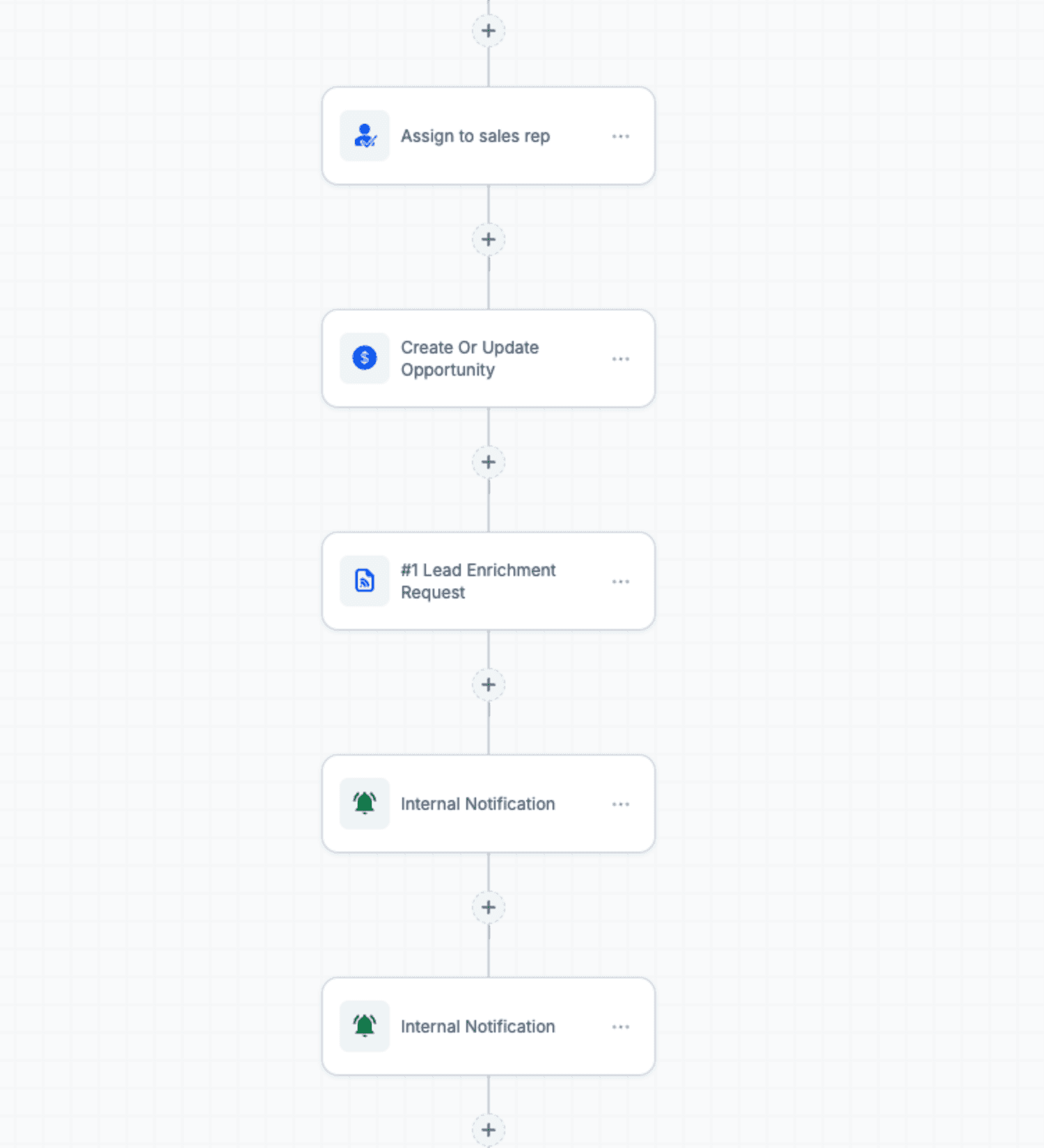
- TriggerNew lead
- SendWelcome message
- WaitWait 15 min
- IfNo reply? Send email
- TeamAlert the team
A trigger, the steps, and the run history.
What you get
Visual builder
Drag steps, no code.
Triggers
New lead, booking, no-show, cart left, sale.
Run history
See what ran, for whom, and when.
How it works
- 1Pick a trigger.
- 2Add the steps.
- 3Test it, then switch it on.
- Welcome every new lead
- Reply instantly to a new chat
- Remind before a booking
- Chase a no-show
- Nudge a quiet quote
- Win back past customers
See it in a minute.
All tutorialsWhatsApp automation means your business sends the right WhatsApp message at the right time without anyone typing it. A new lead gets a welcome. A booking gets a reminder. A quiet quote gets a nudge. You build a flow once and it runs every time, day and night. Your team runs it.
The follow-up you forgot is the sale you lost
A lead asks for a price at 11pm. Nobody answers until morning. A quote goes out on Monday and nobody checks it again. A client misses a booking and nobody asks why.
A busy team cannot chase every chat by hand. Every flow on this page is a follow-up your team would have sent if it had the time.
What is WhatsApp automation?
WhatsApp automation is software that sends WhatsApp messages for you when something happens. The trigger can be a new lead, a booking, a no-show, a cart left behind or a sale. The software then sends the messages you set up. Your team steps in when a person is needed.
It is a set of small flows. Each flow starts with a trigger, runs a few steps and stops. This is WhatsApp automation for business at its simplest.
How do I automate WhatsApp messages?
To automate WhatsApp messages, connect your business number to a platform that runs flows, then build each flow in three steps. Pick a trigger. Add the steps. Test it, then switch it on. In XMA Boost the visual builder and ready-made automations are on every plan.
- 1Pick a trigger. A new lead, a booking, a no-show, a cart left or a sale.
- 2Add the steps. Choose what is sent and when.
- 3Test it, then switch it on. Test each flow before it goes live.
Each flow keeps a run history. You can see what ran, for whom and when.
An example flow. This is an example, not a client result. Trigger: a new lead arrives. Step one: a welcome message on WhatsApp. Step two: a nudge if the lead has gone quiet. You choose the wording and the timing.
Can follow-ups send themselves?
Yes. A flow sends its messages for you once the trigger fires. Nobody has to keep a list of who to chase. This is how a quiet quote gets a nudge and a no-show gets a chase. The flow follows the steps and timing you set.
These are the flows teams start with. Every one of them is on every plan:
- Welcome every new lead
- Reply instantly to a new chat
- Remind before a booking
- Chase a no-show
- Nudge a quiet quote
- Win back past customers
People search for this as lead follow up software and quote follow up software. It is one feature of the same platform, next to your shared inbox and your sales pipeline.
What does WhatsApp lead automation look like?
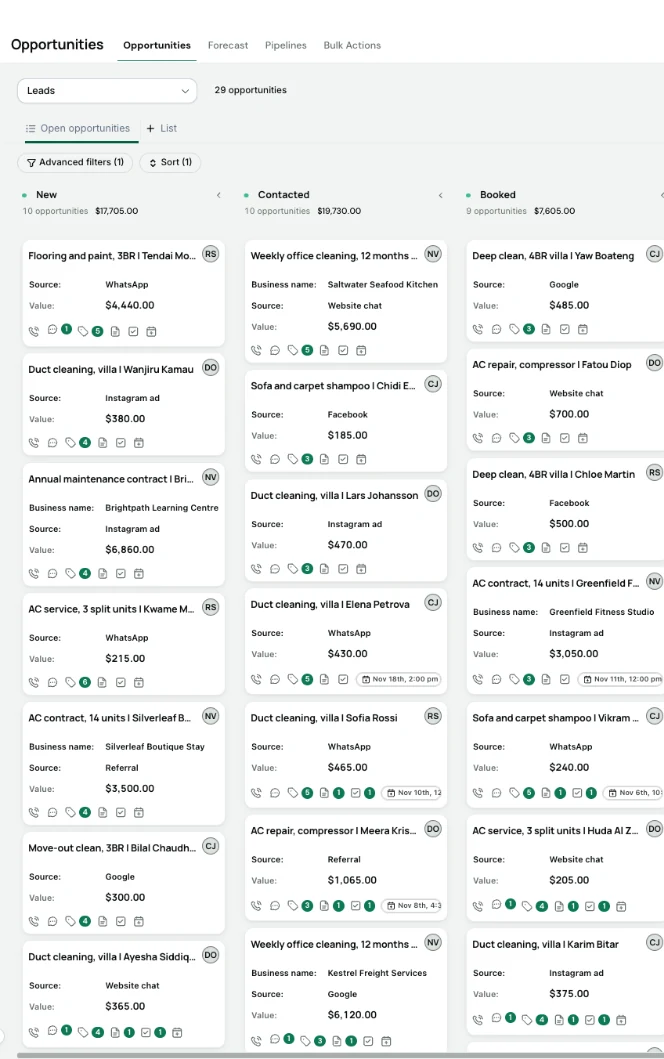
WhatsApp lead automation connects the place a lead arrives to what happens next. Leads from your ads, forms and chats land on the pipeline in the right stage. From there, flows can follow up. See forms and calendars and bookings.
Here is one of our cases. A property agency was losing Facebook leads because an old rule only knew two retired forms. We replaced it with two workflows that put each lead, and each booked consultation, in the right stage. Every lead Meta counted in that period had a matching deal. This case is about pipeline placement, not message speed. Read the property agent case.
Does it run on the official WhatsApp platform?
Your number runs on the official WhatsApp Business platform. Messages that open a conversation use templates. We submit your templates, and Meta decides whether each one is approved. Your messages follow the platform's policy.
Read the WhatsApp Business API guide for how the platform works, and WhatsApp on your own number for how it connects.
Does it have a WhatsApp automation API, tool or app?
XMA Boost is the WhatsApp automation tool. It runs on the official WhatsApp Business platform. The visual builder and ready-made automations come with every plan. API access is on Pro. See how it works.
How much does WhatsApp automation cost?
Plans start at $99 a month, with a 7-day trial on Starter and Growth. WhatsApp messages are paid from your account wallet as you use them. Prices exclude VAT. See the plans and prices.
Ready-made automations and the visual builder are on every plan. If you want XMA to build your flows with you, add done-for-you set-up to any plan. Book a call to talk it through.
WhatsApp automation for every kind of business
We work with businesses of every size, from property agents to online stores. Examples we build for:
- Property teams that need every enquiry placed and followed up
- Online stores that want to message customers after the first order
For an online store, we connected store orders and checkouts to WhatsApp for an oud brand. We built order confirmations, checkout nudges and a series of offer messages. The messages went live in October and results are still coming. Read the oud brand case.
- WhatsApp connected
- AI agent trained
- Pipeline built
- Calendar set up
- Forms and chat widget
- Automations on
- Invoices ready
- Team added
- Reports set
- Test message sent
Built by us, run by you
You run it and answer your chats. Your data is yours. We guarantee the delivery dates that depend on us, in writing. We do not promise sales or leads.
Not sure if you are ready? Take the readiness check, then get started or book a call.
Frequently asked questions
No. You can build them yourself in the visual builder, and every plan includes ready-made automations. Or add done-for-you set-up to any plan and we build them with you.
Yes. Test each flow before you switch it on. Once it is live, the run history shows what ran, for whom and when.
Not if the flow is built around a real moment, such as a booking or a quote. Send fewer, well-timed messages. Start with the flows your plan includes and add more only when you need them.
Yes. Leads from your ads, forms and chats land on the pipeline in the right stage. See forms.
Plans start at $99 a month, with a 7-day trial on Starter and Growth. Prices exclude VAT. See the plans and prices.
Build a follow-up once and let it run.
From $99 a month. 7-day trial on Starter and Growth.